1 / 11
Real discussions from product enthusiasts
DXP4800 Pro's i3 CPU Boosts Performance for VMs
Users confirm the Intel Core i3-1315U processor significantly enhances performance for running virtual machines and Docker containers. This upgrade offers more headroom for demanding applications compared to previous generations.
SSDs Key to Quiet DXP4800 Pro Operation
While mechanical HDDs like WD RED can produce audible noise, users report that filling the NAS with SSDs results in much quieter operation. A 'silent mode' is available, but drive noise remains a factor.
10GbE Connection Vital for Large File Editing
For intensive workflows like editing large RAW images on a Mac Studio, users recommend direct Ethernet connection via the NAS's 10GbE port. This ensures optimal speeds, avoiding bottlenecks from standard 1GbE networks.
Enhanced Hardware Comes with Higher Power Draw
The DXP4800 Pro features upgraded hardware, including a 13th Gen i3 CPU and PCIe 4.0 M.2 slots. However, this power upgrade leads to higher active power consumption (around 42.36W) and increased heat generation.
Expert answers based on real user experience
The DXP4800 Pro features a 13th Gen Intel Core i3-1315U processor (6 cores, 8 threads, up to 4.5GHz) paired with 8GB DDR5 RAM, expandable to 96GB. This hardware offers a significant performance uplift for running virtual machines and Docker containers, providing more headroom than older Pentium Gold processors. Its dual high-speed network ports (10GbE + 2.5GbE) facilitate rapid data access for these demanding applications, with reported transfer speeds reaching up to 1.25GB/s, crucial for concurrent workloads.
r/HomeNAS, r/NewMaxx
Noise levels are primarily determined by the installed storage media. While users with SSDs report near-silent operation, the mechanical noise from traditional HDDs, such as WD RED drives, can be noticeable even when the NAS is housed in a separate network cabinet. The DXP4800 Pro includes a 'silent mode' and a multi-zone cooling system, but for the quietest experience, populating all four drive bays with SSDs is recommended to avoid the clicking and spinning sounds inherent to mechanical drives.
Users have reported difficulty accessing the UEFI BIOS on the DXP4800 Pro using standard key combinations like DEL, Ctrl+F2, or Ctrl+F12 during boot. While the product is engineered with a 13th Gen Intel Core i3-1315U processor and supports advanced features like Docker and virtual machines, a definitive, publicly confirmed key sequence for entering the BIOS for this specific model remains elusive in community discussions. Without official documentation or consensus on the correct key combination, users are left unable to perform low-level system adjustments or custom boot configurations.
r/UgreenNASync
The UGREEN DXP4800 Pro, equipped with a 13th Gen Intel Core i3-1315U processor and dual 10GbE/2.5GbE ports, exhibits higher power consumption than basic NAS models. Active power draw is reported at approximately 42.36W, a notable increase over entry-level devices. This elevated thermal output necessitates its solid multi-zone cooling system, including a system fan, dedicated drive bay fan, and magnetic dust filters, to maintain stable 24/7 operation and prevent thermal throttling under sustained heavy workloads such as continuous virtual machine hosting.
UGREEN
Deal ends in: ...
Get notified when the price drops
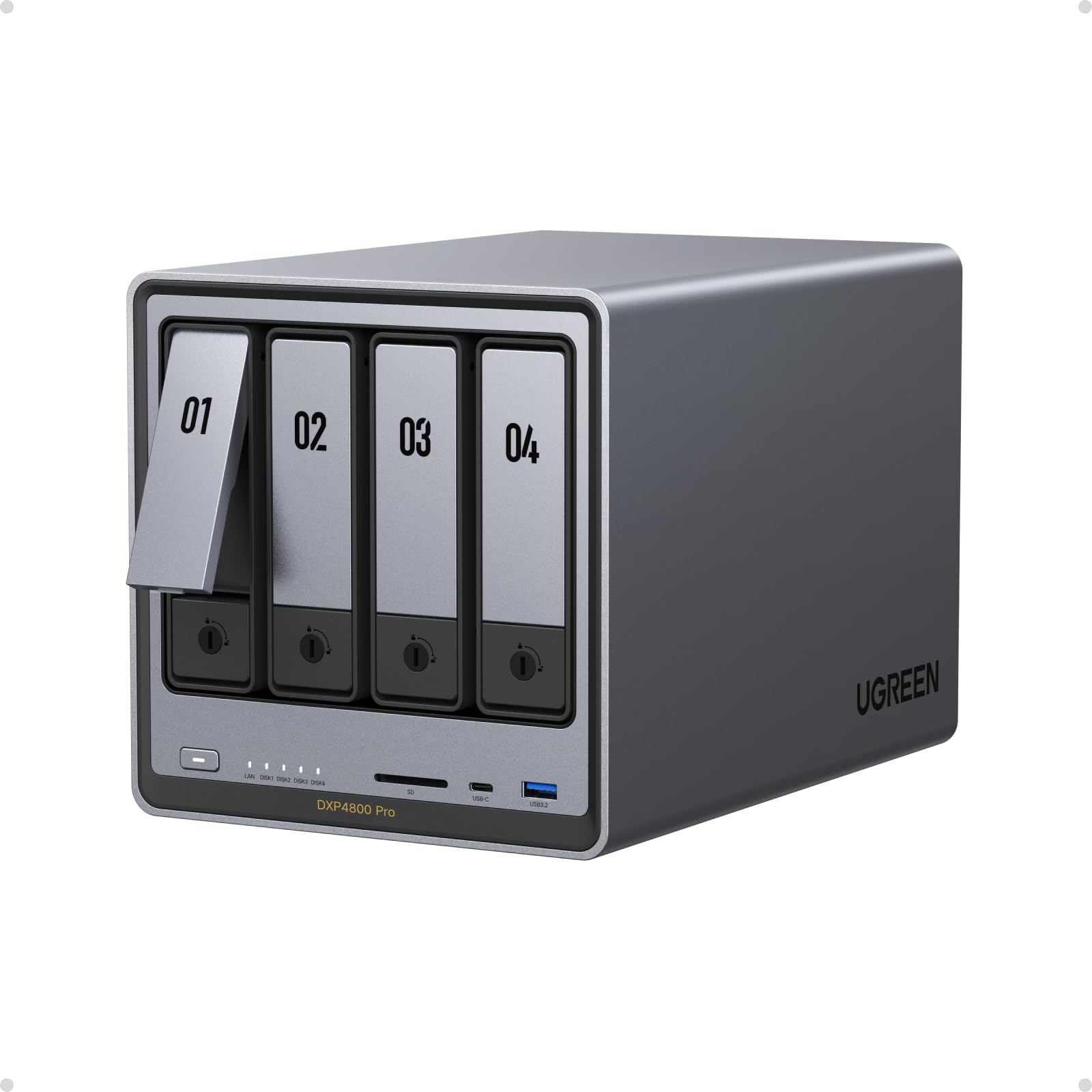
Key features: 【Pro-Performance NAS Engineered for Demanding Workflows】This NAS is built for offices, businesses, and power users who need serious performance. Powered by a pro-performance Intel processor, it serves as a versatile private workstation that delivers smooth performance for running virtual machines and Docker containers. It's the ideal IT hub for video editors, developers, virtualization tasks, and growing teams with advanced workflows.", 【Pro-Grade Core Hardware Performance】Features the Intel Core i3-1315U Processor (6 Cores, 8 Threads, up to 4.5GHz Turbo), offering a significant performance lead. It’s paired with 8GB of high-speed DDR5 RAM (expandable to 96GB) and 13th Gen Intel UHD Graphics for smooth multitasking. Dual high-speed network ports (10GbE + 2.5GbE) enable blazing-fast transfers, reaching up to 1.25GB/s.", 【Ultimate Flexibility with Docker, VMs & Smart AI】It offers comprehensive support for Docker and Virtual Machines, unlocking endless possibilities to run personal websites, smart home hubs, or private development environments. The local AI-powered Photo Album automatically recognizes faces, scenes, and content. All AI processing happens on-device, ensuring your privacy while managing massive photo libraries effortlessly.", 【Massive Storage & Intuitive All-in-One System】It supports a colossal 144TB capacity (4x HDD + 2x M.2 SSD), enough for approximately 4.2 million 35MB RAW photos, 3.6K 40GB 4K movies, 5 million 30MB lossless music, or 150 million 1MB files. Dual M.2 PCIe 4.0 SSD slots can be used as a high-speed cache or storage pool to eliminate HDD bottlenecks. The intuitive UGOS Pro operating system integrates a media center, photo management, cloud sync, downloads, and more for a one-stop experience., 【Enterprise-Grade Data Security & Privacy】Provides multiple RAID configuration options (0, 1, 5, 10) for flexibility between capacity, speed, and protection. Features granular user permission controls (supporting up to 2048 accounts). The ""Data Vault"" offers an extra layer of security by hiding and encrypting sensitive files. Certified for strong privacy and data protection by TÜV SÜD (ETSI EN 303 645) and TRUSTe.".
 -9%
-9%UGREEN
UGREEN NAS DH2300 2-Bay Desktop NASync, Support Capacity 64TB (Diskless), Remote Access, AI Photo Album, Beginner Friendly System, 4GB RAM on Board,1GbE, 4K HDMI, Network Attached Storage(Diskless)

UGREEN
UGREEN 4 Pack HDMI Dummy Plug 4K@60Hz 2K@60Hz 1080P@120Hz, EDID Emulator, Virtual Monitor Emulator, HDMI Headless Adapter for Remote PC, Laptop

UGREEN
UGREEN USB Bluetooth 5.3 Adapter for PC, Plug & Play for Windows 11/10/8.1, Bluetooth Receiver & Transmitter for Keyboard/Mouse/Headphone/Speakers/Printer
 -31%
-31%UGREEN
UGREEN FineCam Pro 4K Webcam for PC, 1/2" Sensor, Auto Framing, Face AE, AI Noise-Canceling Mic, Gesture Control, PDAF Auto Focus for Streaming, Conference, OBS Zoom, Switch 2, Privacy Cover & Tripod
r/UgreenNASync
For intensive workflows involving large RAW image files, users recommend a direct Ethernet connection using the NAS's 10GbE ports. Connect your Mac Studio to one 10GbE port on the DXP4800 Pro and then connect the NAS's second 10GbE port to your router or switch. This setup bypasses potential bottlenecks of standard 1GbE infrastructure and can achieve transfer speeds approaching the theoretical 1.25GB/s maximum, ensuring efficient handling of multi-gigabyte files.
r/MacStudio
The DXP4800 Pro supports a colossal 144TB total storage capacity across its four 3.5" HDD bays and two M.2 NVMe SSD slots. This capacity is sufficient for approximately 4.2 million 35MB RAW photos, 3,600 40GB 4K movies, 5 million 30MB lossless music files, or 150 million 1MB files. Utilizing the dual M.2 PCIe 4.0 SSD slots as a high-speed cache or storage pool can accelerate access to this vast data repository and mitigate potential HDD bottlenecks.
Product Data
r/NewMaxx, Product Data